Appearance
Ambient Sound
The Ambient Sound actor sets the background ambience for your map.
How it works
The actor you place is a placeholder. The game swaps it for the real ambient sound system when the map loads.
Placement
- Place exactly one Ambient Sound actor in the level.
- Its position does not matter because the ambience follows the player.
- Placing more than one will not create zones; it will just double the volume. VHMap's diagnostics will warn you if there are extras.
Properties
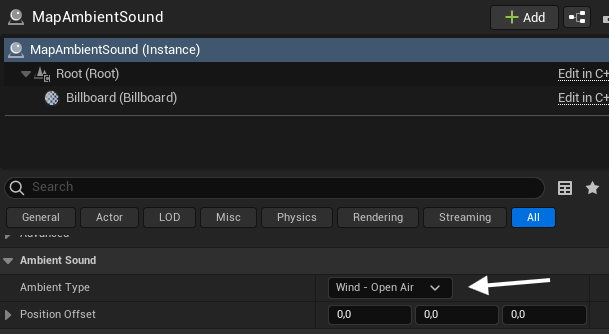
- Ambient Type - choose the mood for your map:
- Wind - Open Air
- Wind - City
- Wind - Pipes & Vents
- Wind - Indoor / Muffled
- Sewers
- Conapt Interior
- Position Offset - shifts the sound relative to the player. Leave at zero unless you want it above or below the listener.
Notes
- The Custom option plays nothing. Use one of the named ambience types.