Appearance
Speed Boosts
Speed Boosts give the player a temporary speed increase when touched.
Placement
- Place a Map Speed Boost actor in the level.
- Rotate it so the boost direction arrow faces the way you want.
- Adjust the Speed Boost Value property to tune the strength.
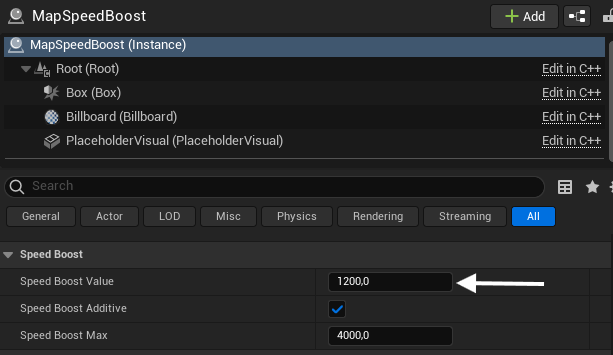
Properties
- Speed Boost Value - how much extra speed the player gets.
- Speed Boost Additive - if enabled, the boost value is added on top of the current speed rather than replacing it.
- Speed Boost Max - the maximum speed the boost can push the player to.
Notes
- The actor you place is a placeholder. The game swaps it for the real speed boost when the map loads.
- Pair them with Jump Pads or Wind Zones to build fast traversal sections.